Appearance
Keywords
WAS catalogues and indexes thousands of keywords for every processed target that is ingested. Most of these keywords originate from the processing pipelines or the observation catalogues provided by users, but others are specifically provided by the WAS.
RELEASE
This is a two-digit number in the format x.y, for example 2.1. This first digit matches or will match the corresponding public Data Release (DR).
NIGHT-OPS
The night when the observation was taken.
INGESTION_DATE
WAS ingestion date.
WNAME
Name internal to the WAS, with which every target is uniquely identified and indexed. WNAME corresponds to the CNAME in the case of single fibres (IFU, MOS), or to the union of CCNAME+PATCH in the case of data cubes (IFU).
L1_FILENAME
Name of file containing L1 data products of the CPS pipeline, provided by CASU. Format is arm1.fits,arm2.fits
L2_FILENAME
Name of file containing L2 data products of the APS pipeline, provided by CASU.
EMBARGO
Indicates the proprietary period of the data, if any. This keyword is associated with Open-Time programs.
COORDS
Contains the sexagesimal coordenates of the field in the case of MOS targets and IFU single fibres, and the central spaxel in the case of IFU targets.
TARGCOORDS
Contains the sexagesimal coordinates of the fibre in the case of MOS and IFU single fibres, and the coordinates of the central spaxel in the case of IFU targets.
Renamed keywords
There are some keywords in the database that have been renamed to avoid overwriting when they come from different detectors but use the same name within the FITS files headers.
| Pipeline | Original keyword | Renamed keyword(s) |
|---|---|---|
| CPS | Exptime | RED_Exptime, BLUE_Exptime |
| CPS | Helio_cor | RED_Helio_cor, BLUE_Helio_cor |
| CPS | Meanflux_r | RED_Meanflux_r, BLUE_Meanflux_r |
| CPS | Meanflux_rp | RED_Meanflux_rp, BLUE_Meanflux_rp |
| CPS | Meanflux_i | RED_Meanflux_i, BLUE_Meanflux_i |
| CPS | Meanflux_gg | RED_Meanflux_gg, BLUE_Meanflux_gg |
| CPS | Meanflux_g | RED_Meanflux_g, BLUE_Meanflux_g |
| CPS | Meanflux_bp | RED_Meanflux_bp, BLUE_Meanflux_bp |
| CPS | Npix_sat1 | RED_Npix_sat1, BLUE_Npix_sat1 |
| CPS | Npix_sat2 | RED_Npix_sat2, BLUE_Npix_sat2 |
| CPS | Resol | RED_Resol, BLUE_Resol |
| CPS | RMS_arc1 | RED_RMS_arc1, BLUE_RMS_arc1 |
| CPS | RMS_arc2 | RED_RMS_arc2, BLUE_RMS_arc2 |
| CPS | Skyline_off1 | RED_Skyline_off1, BLUE_Skyline_off1 |
| CPS | Skyline_off2 | RED_Skyline_off2, BLUE_Skyline_off2 |
| CPS | Skyline_rms1 | RED_Skyline_rms1, BLUE_Skyline_rms1 |
| CPS | Skyline_rms2 | RED_Skyline_rms2, BLUE_Skyline_rms2 |
| CPS | Sky_scale | RED_Sky_scale, BLUE_Sky_scale |
| CPS | Sky_shift | RED_Sky_shift, BLUE_Sky_shift |
| CPS | SNR | RED_SNR, BLUE_SNR |
| CPS | Wave_cor1 | RED_Wave_cor1, BLUE_Wave_cor1 |
| CPS | Wave_cor2 | RED_Wave_cor2, BLUE_Wave_cor2 |
| CPS | Wave_corrms1 | RED_Wave_corrms1, BLUE_Wave_corrms1 |
| CPS | Wave_corrms2 | RED_Wave_corrms2, BLUE_Wave_corrms2 |
Other
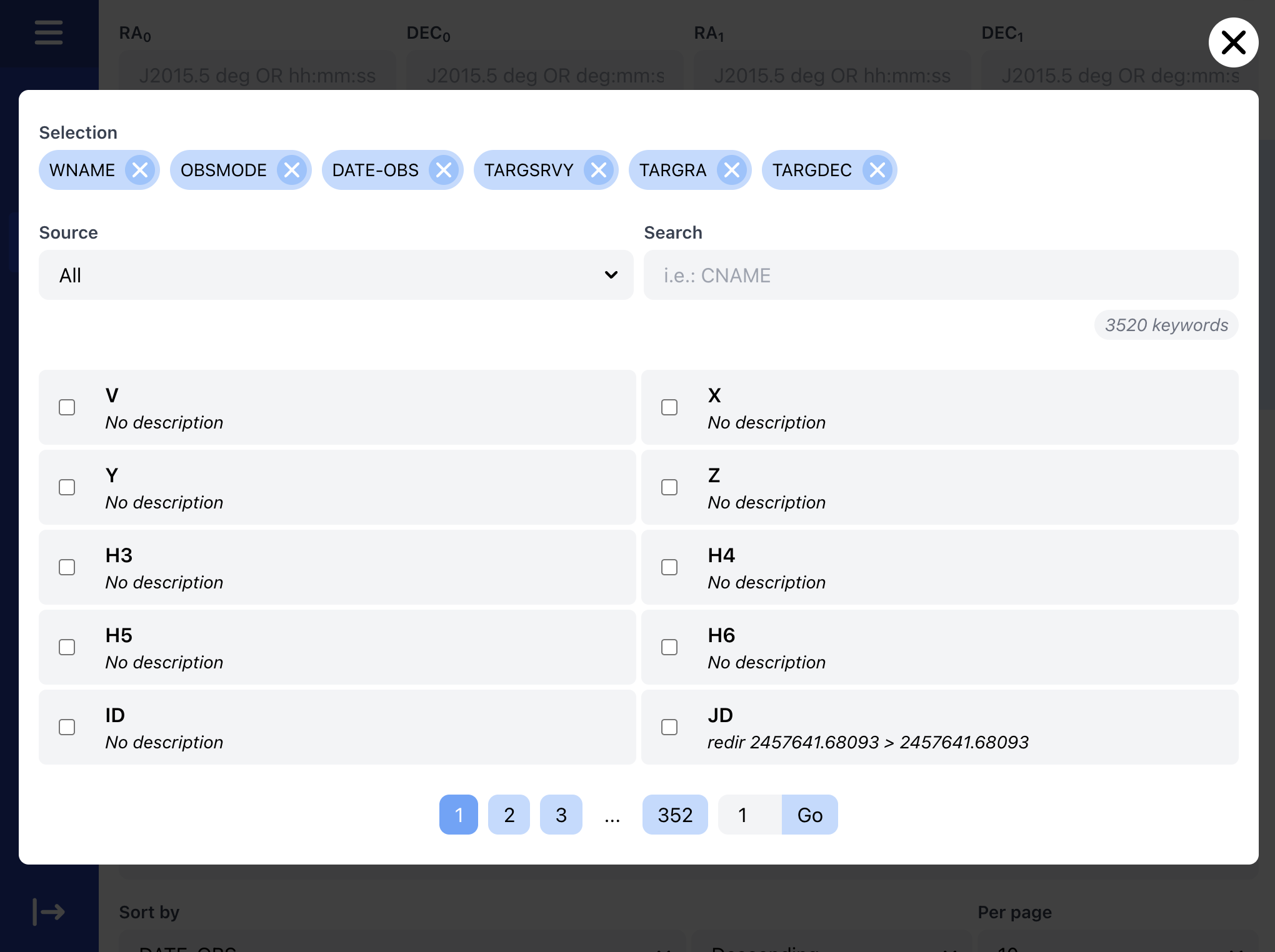
To view the rest of the keyword catalogue, we recommend using the keyword browser included in the search interface.

Clicking on the More button will open a menu where you can easily search for or browse through the available list of keywords. Descriptions are provided for many of the keywords, and it is possible to filter them by via the Source or by using the Search parameter.