Appearance
Search
Accessing and displaying the data available in the WEAVE Archive System is done primarily through the search interface. The WEAVE Archive System is designed to be “target-oriented”, so results will be displayed as a list of groups of targets (by WNAME) in one case and a list of groups of Observing Blocks (by OBID) in another case.
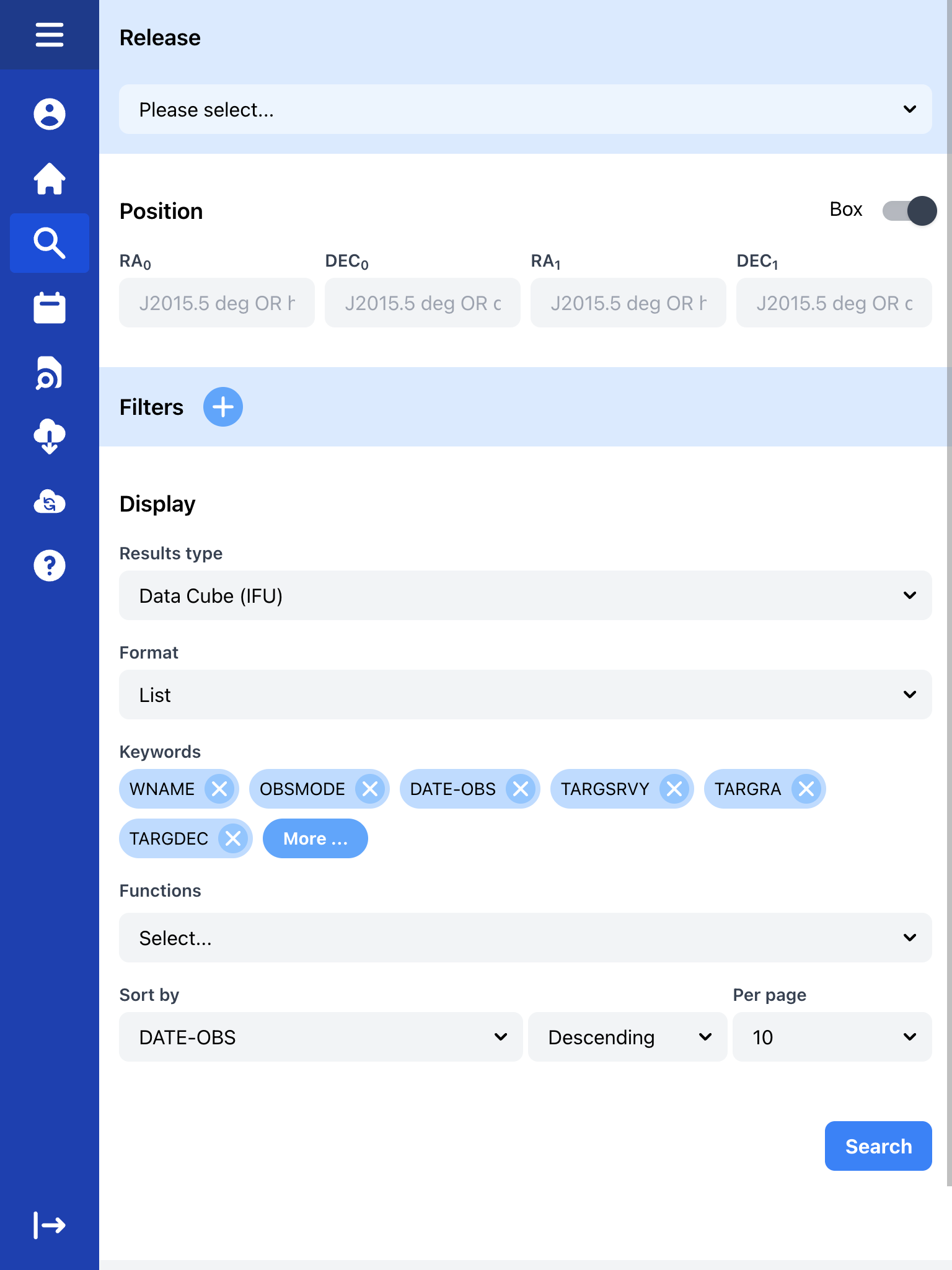 Initial view of the search screen
Releases
A specific data release will contain data observed over a defined period of time. The schedule and content of the releases are defined by the WEAVE Project. Data released as part of previous internal data releases will be included in later internal releases (i.e. the internal data releases are cumulative), but there may be special releases such as for Science Verification (SV) or internal Data Release candidate (iDRC) data that will only contain their own data set.
WAS uses a simple x.y notation for internal releases, where x is the major release and y is the minor release (for example, 1.3). The content of a public data release DR includes an entire major release with all their minor releases.
There are a few distinct release types: Internal Data Release Candidate iDRC, Internal Data Release iDR, Science Verification SV, and First Light FL.
Internal Data Release Candidate (iDRC)
A pre‑release that is updated frequently (typically daily) with data from CASU and external data producers (CDP). Data in iDRC may change without notice. When this release is selected, queries are restricted to the iDRC dataset only.
Internal Data Release (iDR)
Stable, immutable internal releases. iDRs are cumulative in the archive: selecting the latest iDR automatically includes all data from previous iDRs.
Science Verification (SV)
Contains the Science Verification data for the instrument.
First Light (FL)
Contains the instrument’s First Light data.
In general, selecting a later iDR includes results from earlier releases and FL. Special releases such as SV or the release candidate iDRC are scoped to their own datasets and are not automatically included in iDR queries.
Filters
Data filtering can be set based on any keyword listed in a FITS primary header or in catalogues submitted to the WEAVE Archive System. These keywords must have been marked for indexing before data are ingested, otherwise they cannot be used for querying.
Any type of query can be established as long as it respects basic boolean logic. If no filter is applied, all data to which the user has access will be displayed in the search result.
It is also possible to use wildcards in the filters to search for partial strings in keyword values (keep in mind that this option always considers the values as strings).
Example 1
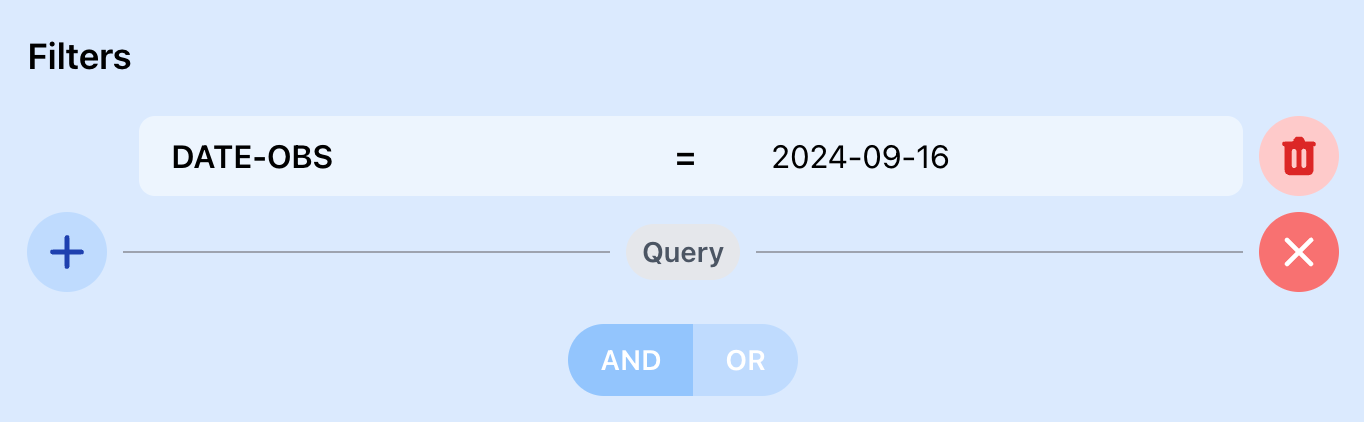 Figure 1: Targets observed observed on a specific date.
Example 2
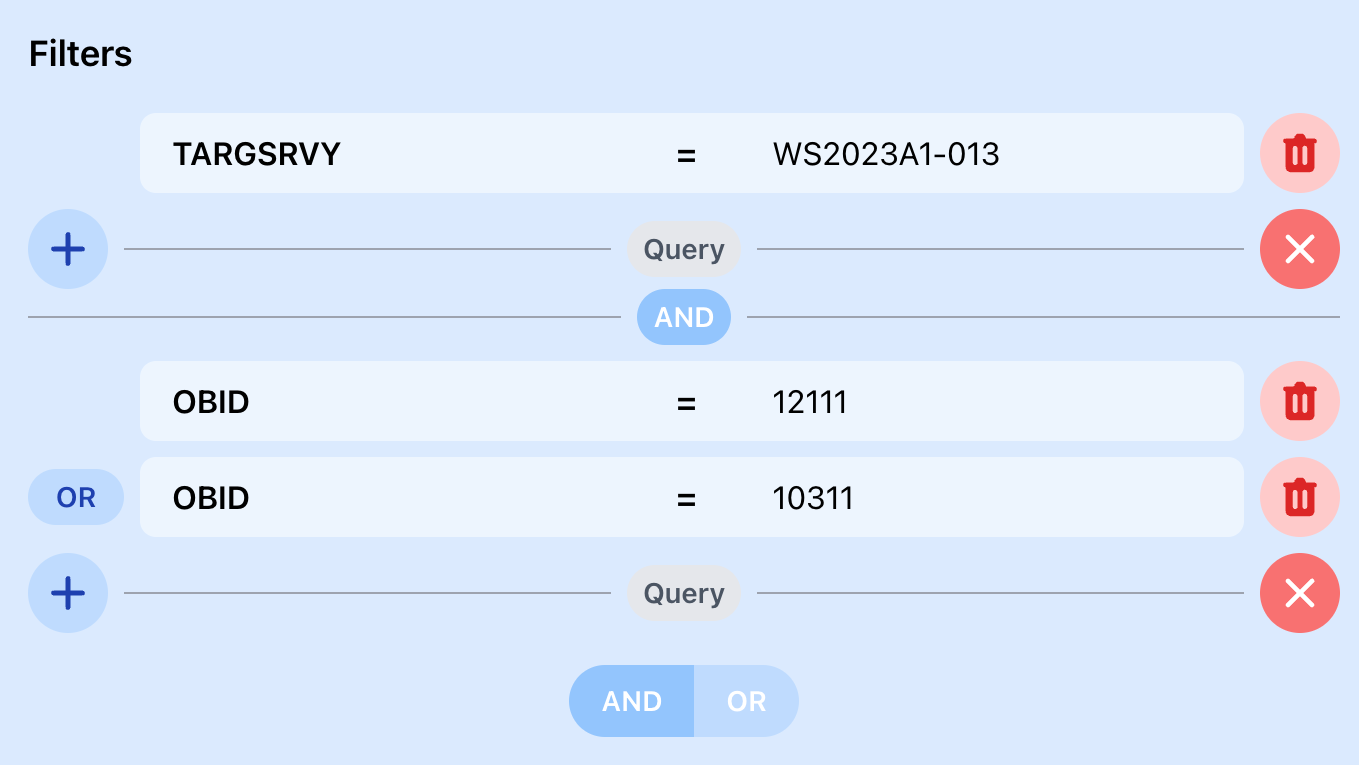 Figure 2: Targets tagged with a specific TARGSRVY and observed in the following specific OBs.
Example 3
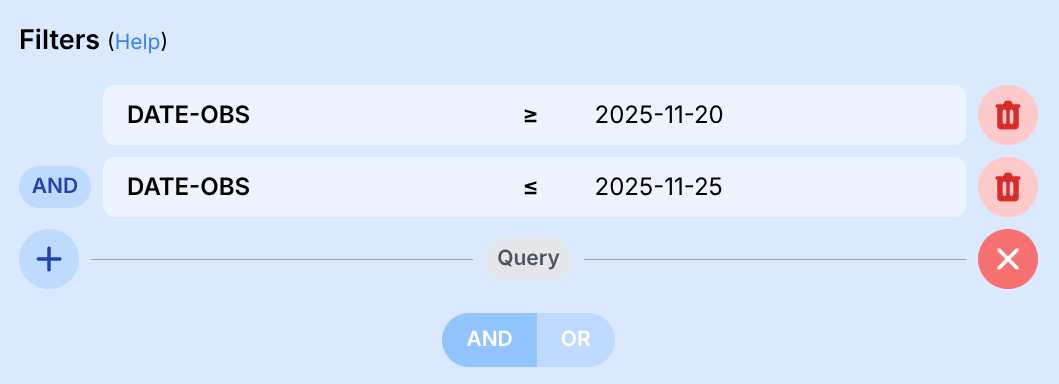 Figure 3: Targets observed within a range of dates.
Example 4
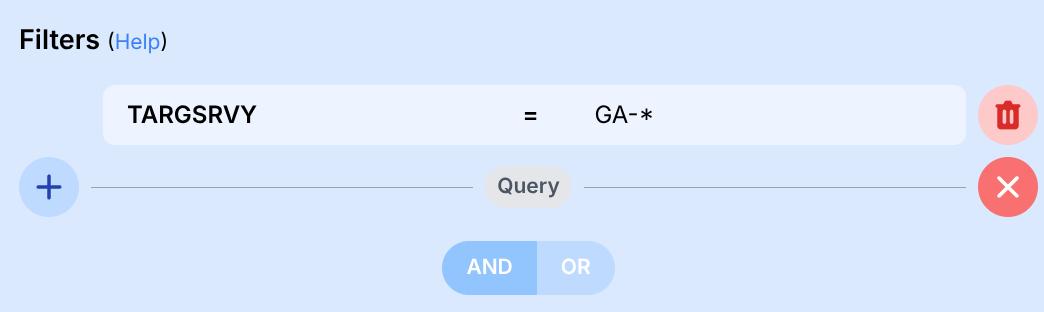 Figure 4: Targets tagged with any survey that begins with "GA".
Displaying options
Results type
Each type of indexed data has its own set of results and it is not possible to group them into a single search given the way the WEAVE Archive System operates. Each of the following types of products must be searched independently.
- Data Cube (IFU): extended targets processed from a fibre array.
- Single fibre (IFU, MOS): targets processed from a single-fibre analysis.
- Observing Block (IFU,MOS): files collected from every telescope Observing Block (OB).
- RAW files: this mode is only available to a limited number of users and is intended for engineering tasks. Please note that you cannnot choose between different Release options in this mode. Searching for data in this mode will return files according to the filters you have set for the search.
Format
In addition to returning search results as a list, the WEAVE Archive System allows users to display different kinds of plots. It’s important to know which columns you want to display in each mode, and to set valid ranges for the X and Y axis parameters.
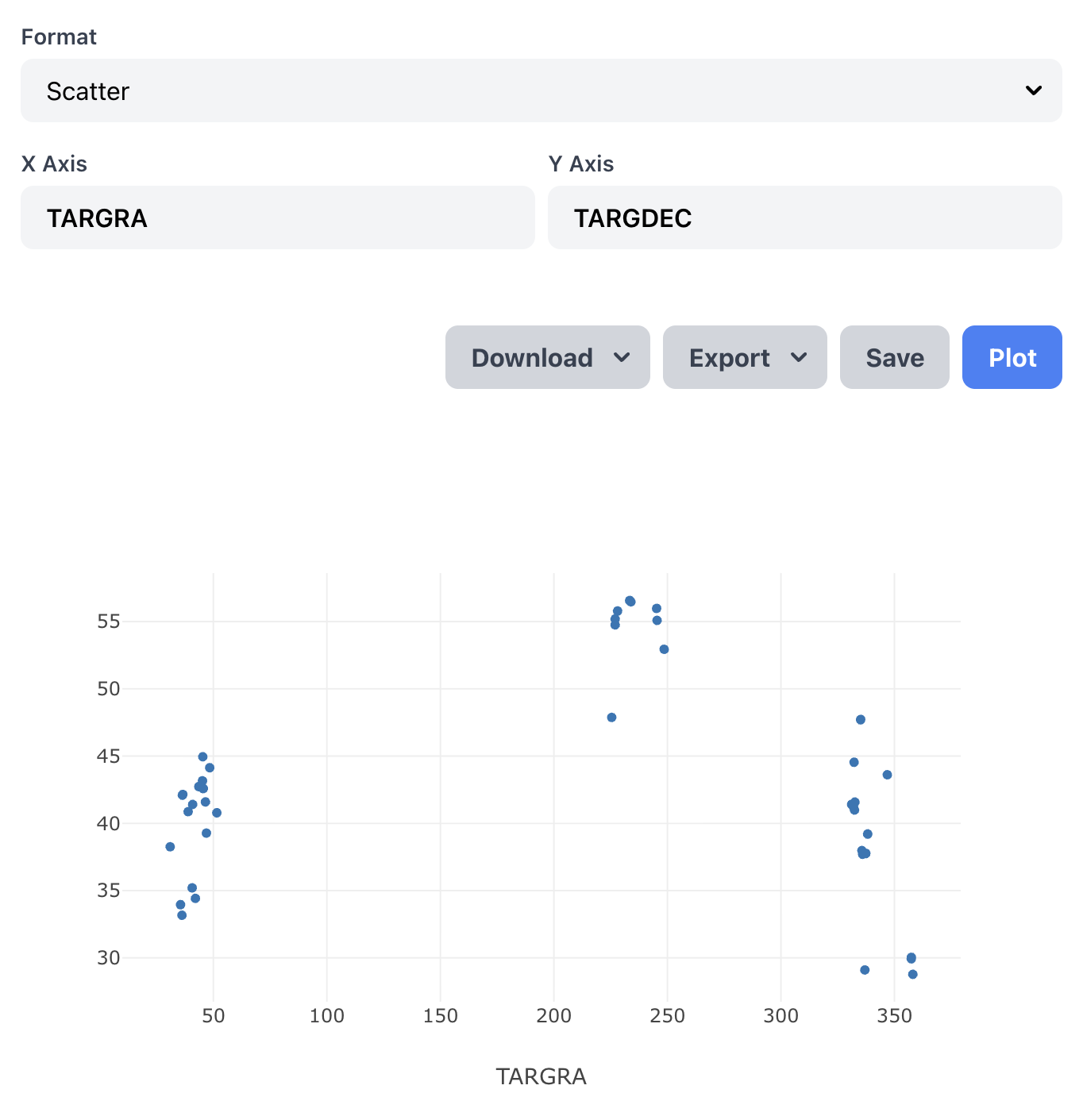 Figure 1: Scatter
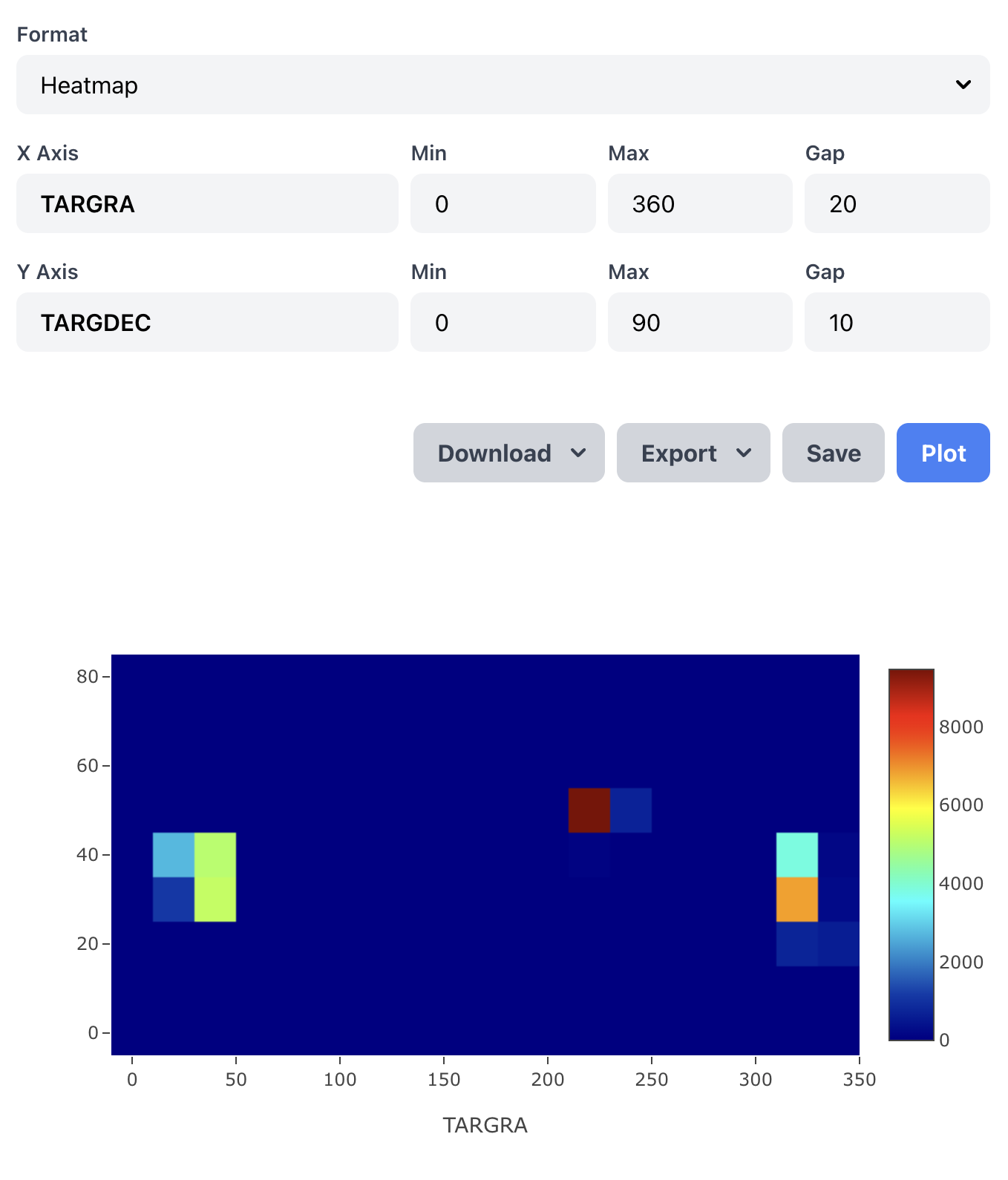 Figure 2: Heatmap
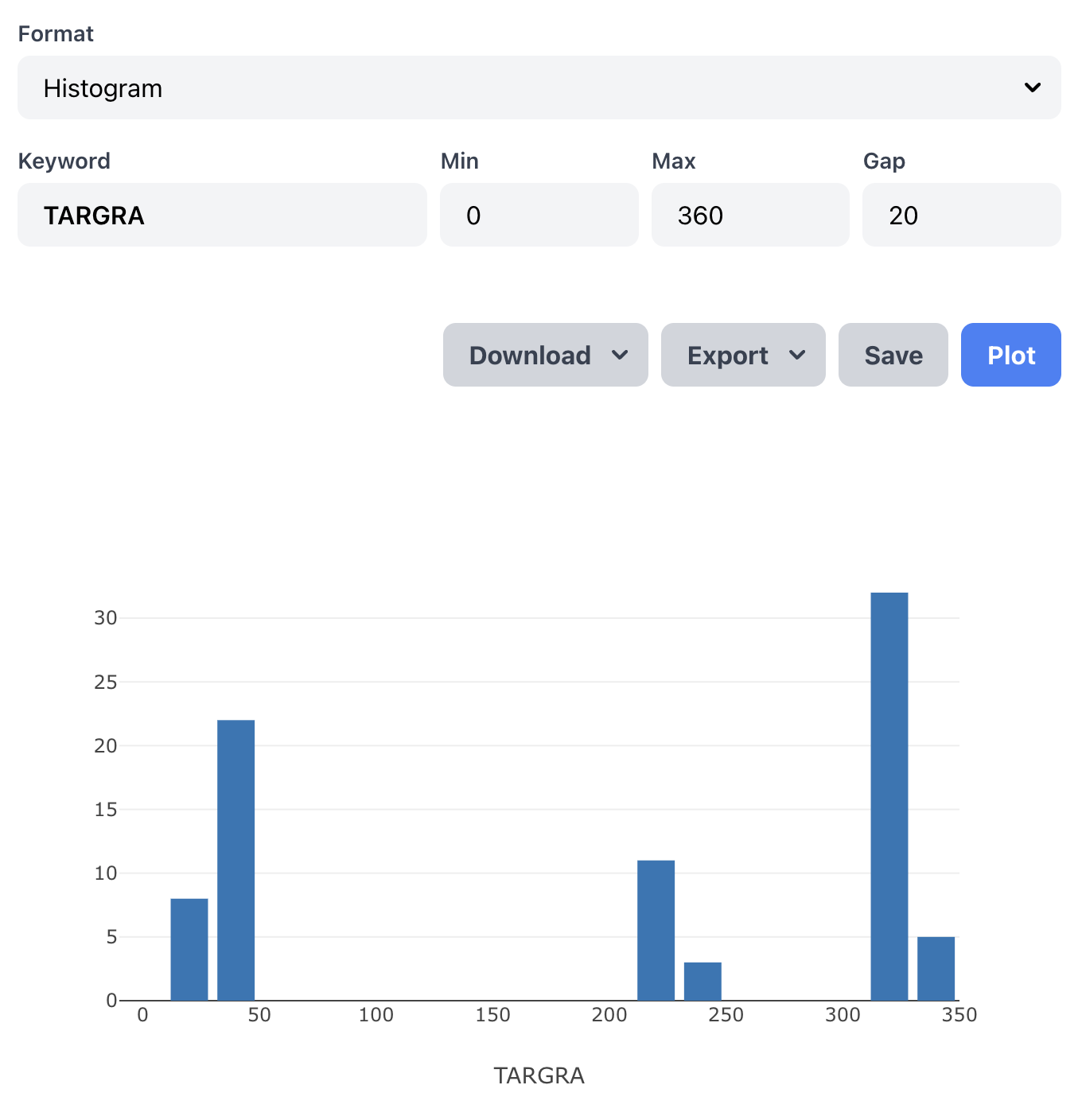 Figure 3: Histogram
Columns
The fields displayed as a result of a search are completely customizable and you can choose any of the keywords from FITS files or catalogues that your user account allows you to access.

Clicking the "More" button will open a menu where you can easily search or browse through the available keywords list.
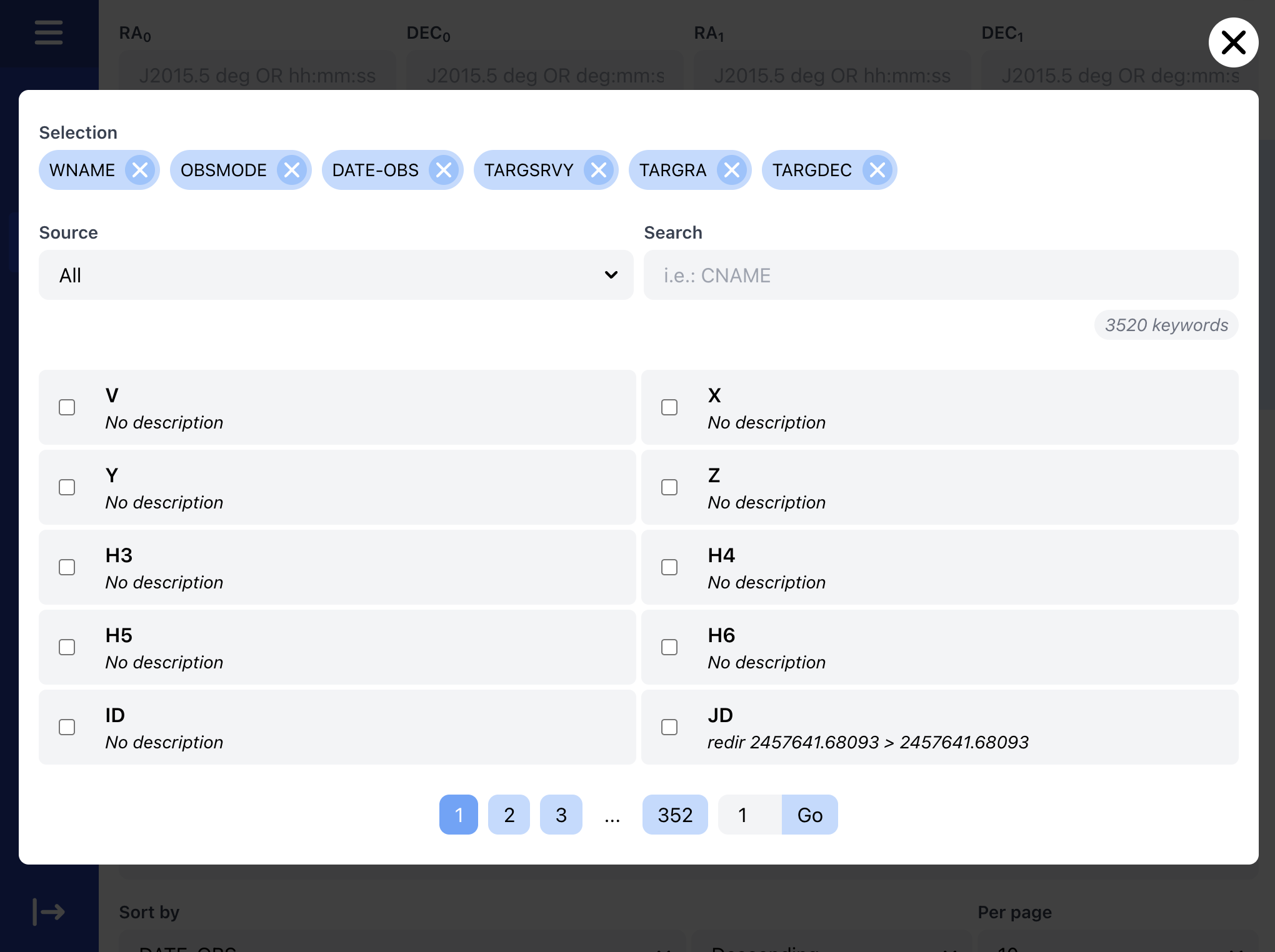
Results
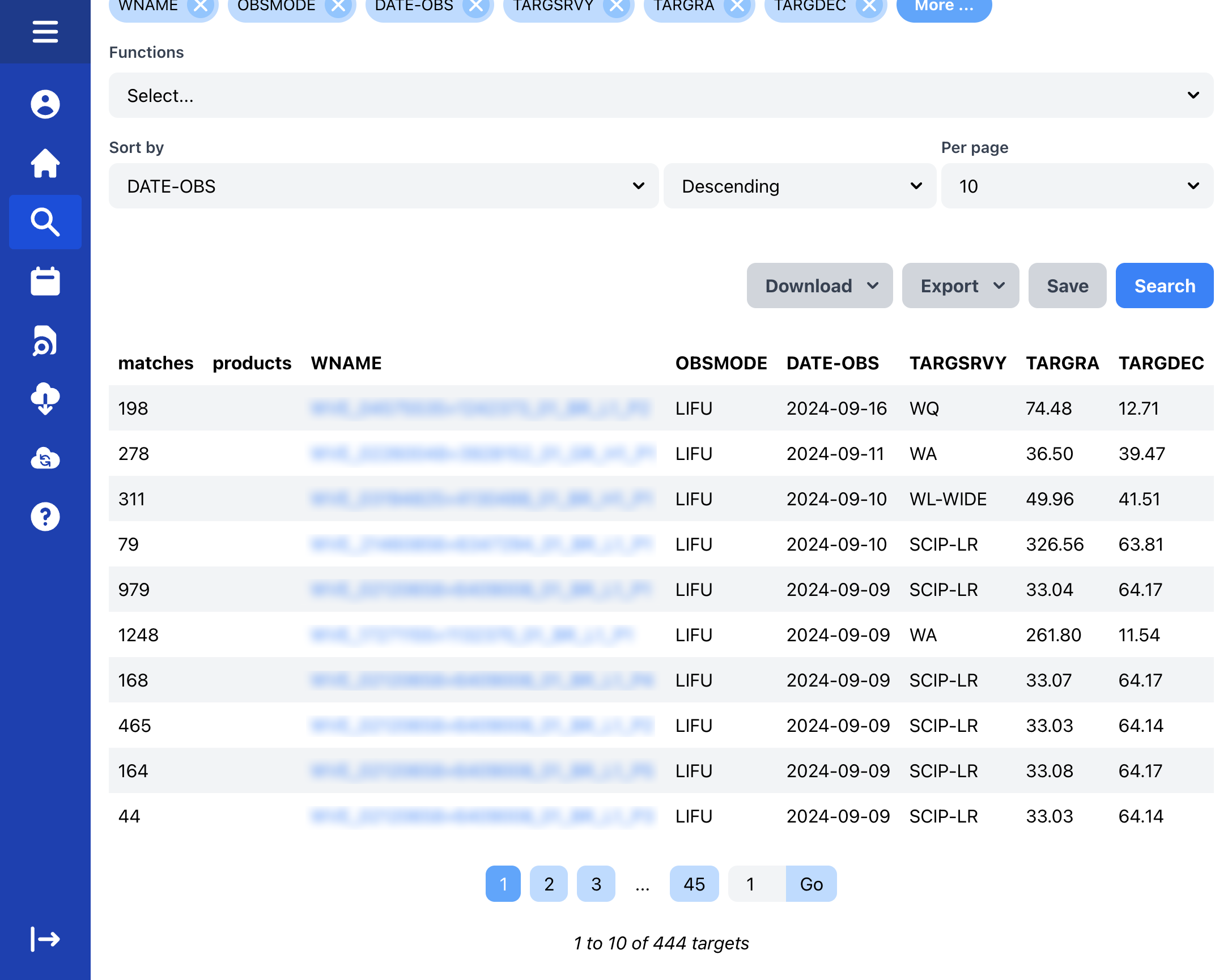 Some search results
The displayed columns are fully customizable, except for the first three, which will always appear and are necessary for internal use in WEAVE Archive:
- matches: definition varies depending on the type of analysis and results.
- Single fibres: number of fibres to be indexed with this name.
- Data cubes: number of grouped BINs found with this name.
- products: lists associated exrta products (CDP, CS), if any.
- WNAME: name internal to the WEAVE Archive System, with which each target is uniquely identified and indexed. This corresponds to the CNAME in the case of single fibres (IFU, MOS), or to the union of CCNAME+PATCH in the case of data cubes (IFU).
Clicking on the WNAME results in a detailed view of the target, where information on the observations and reprocessing (if any) are listed.
Saved searches
Complex queries are possible, and the WEAVE Archive System provides a way to save your queries so they can be repeated at any time. Just click the Save button after performing a search, and give it a unique name to save it.
Saved searches are stored privately per user and can be accessed by clicking on the corresponding button in the main menu. From there, just click on the eye icon on any saved searches to repeat it.
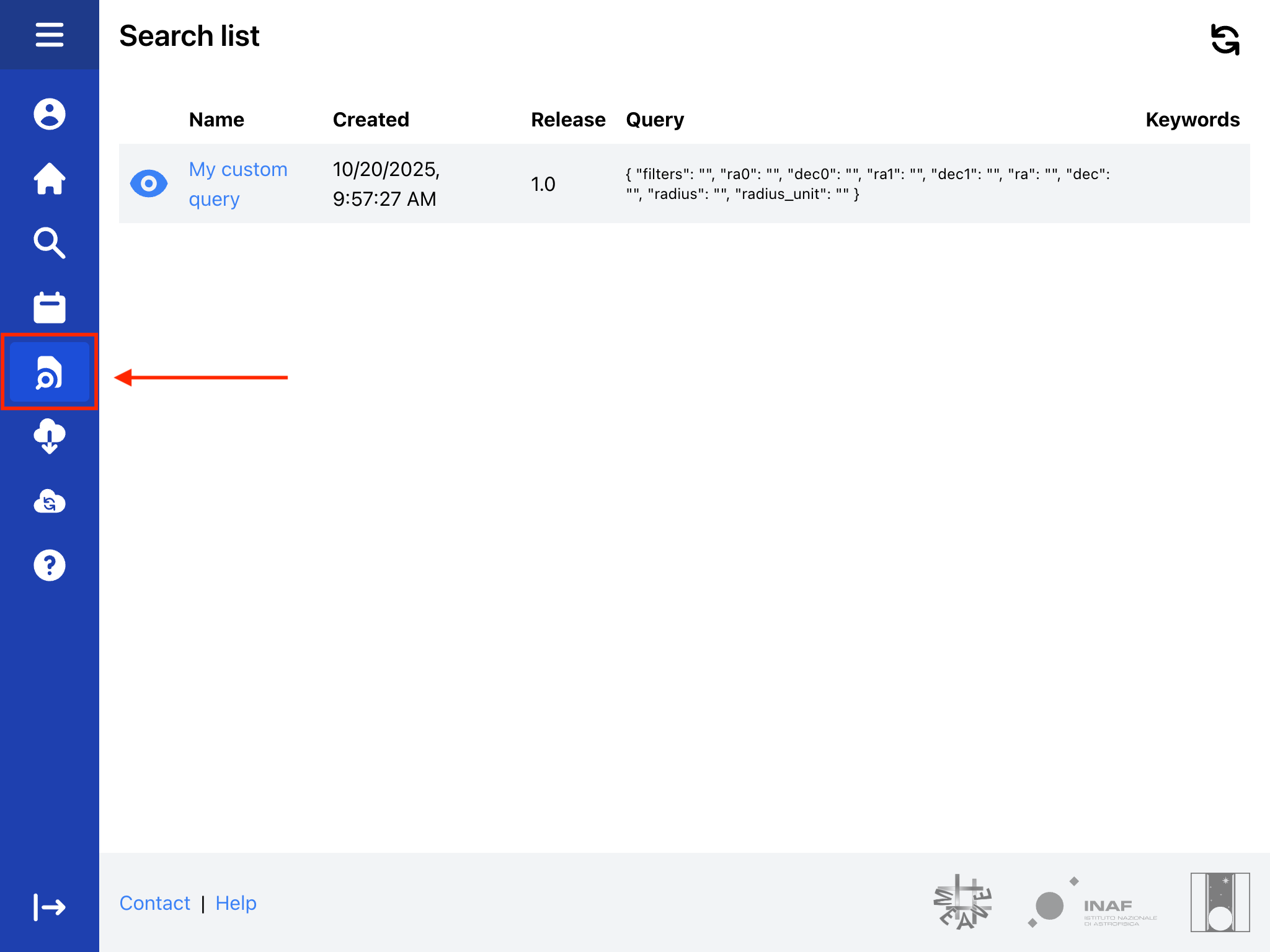 Saved search list
From the detailed view, it is possible to see the custom query and delete it if it is no longer required.
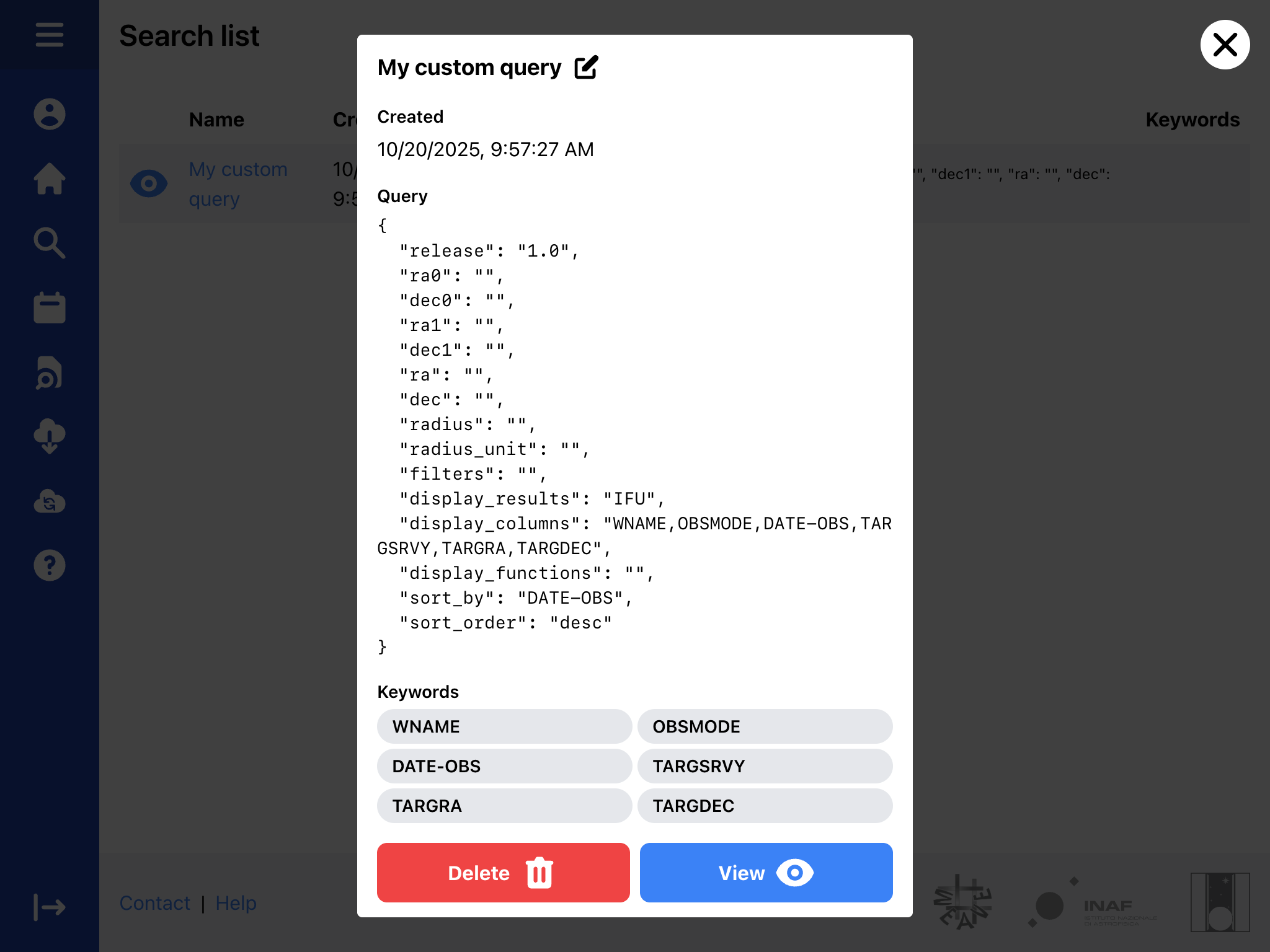 Saved search details