Appearance
Targets
Once a search has been performed, the user can access a detailed view of every target returned by clicking on the WNAME link.
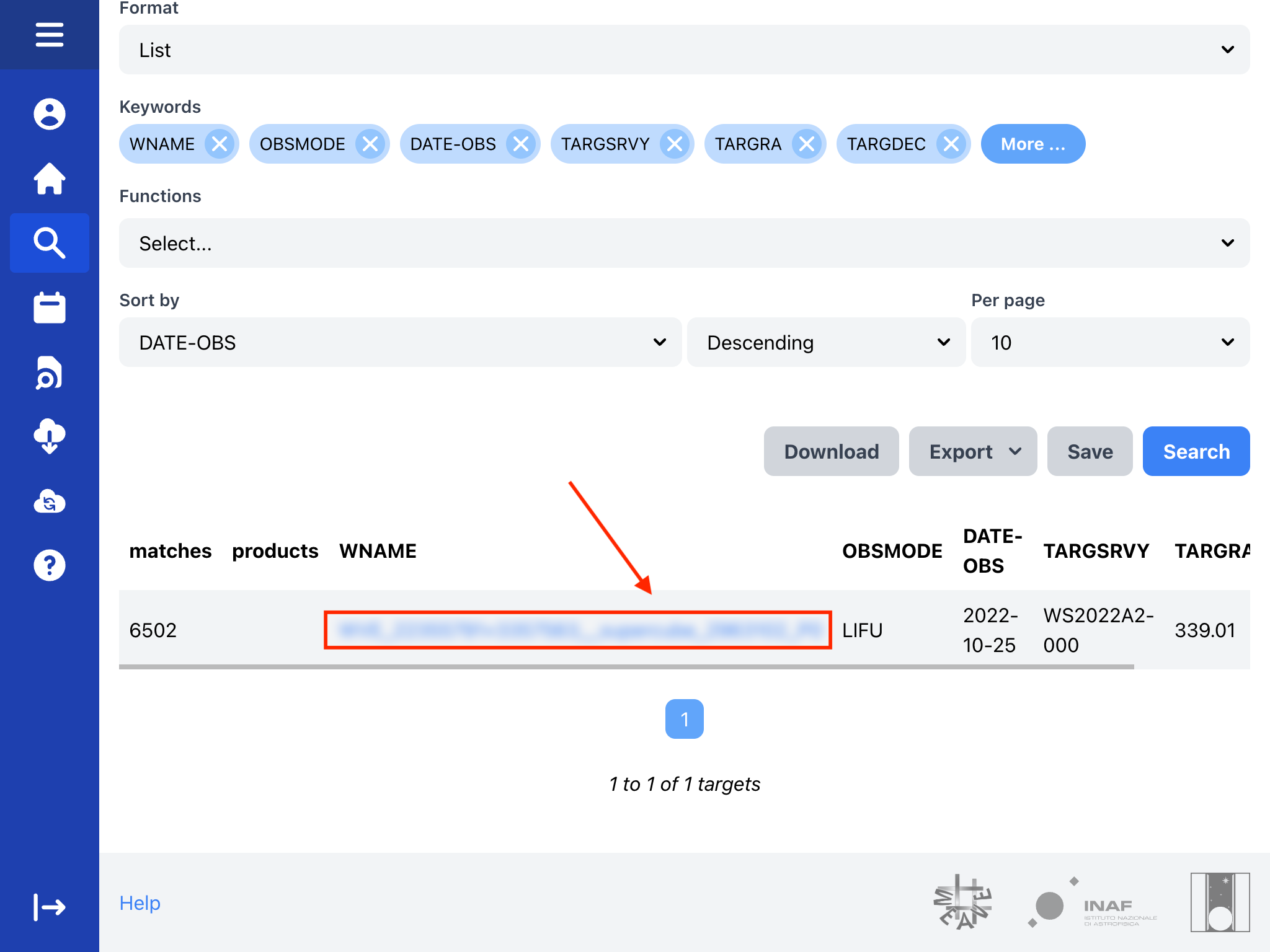
Observation list
Initially, the view shows a list of target observations and a form to customize the keywords and ordering.
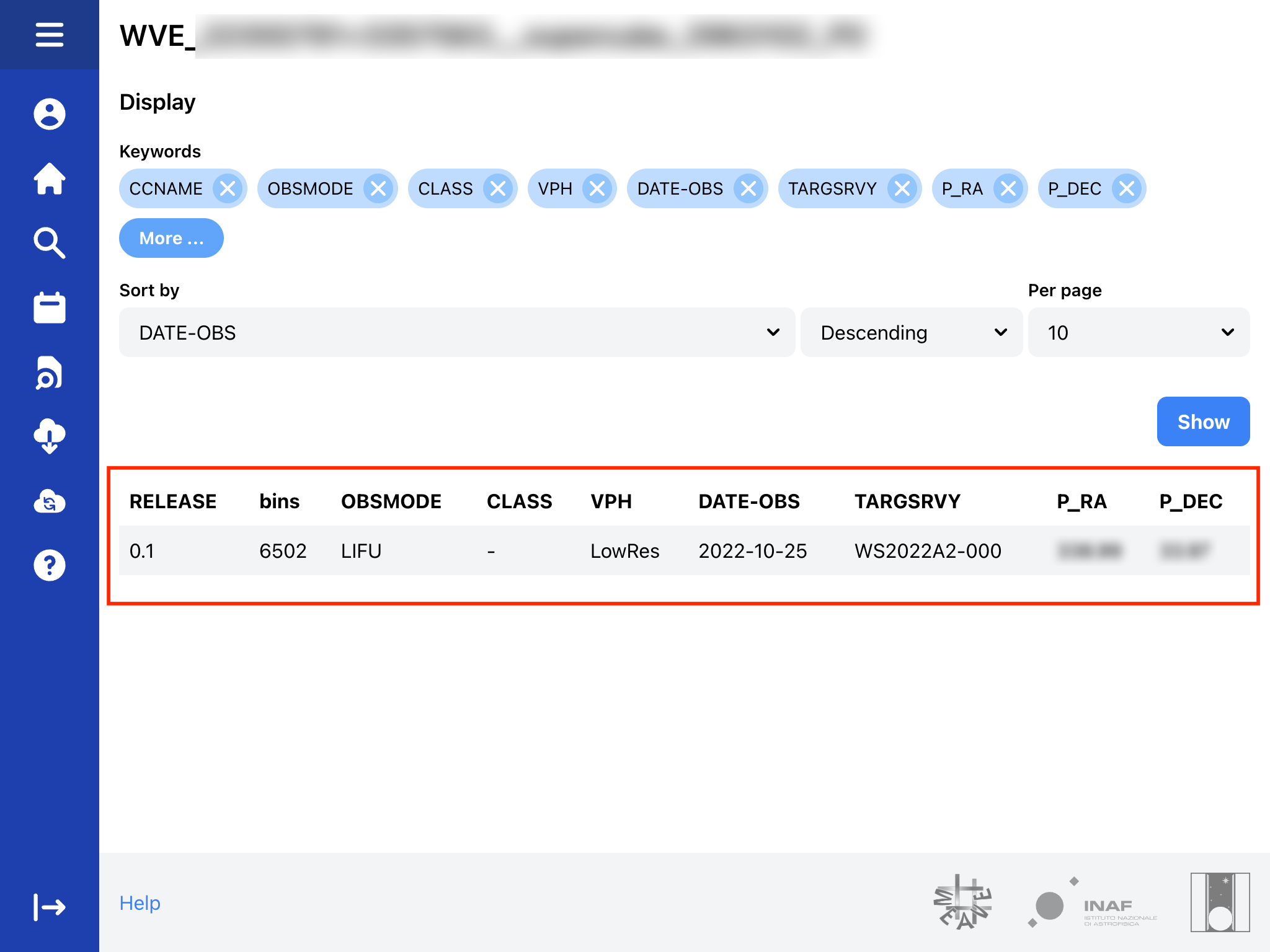 Target observations
Selecting any observation will display a preview of the target and its products.
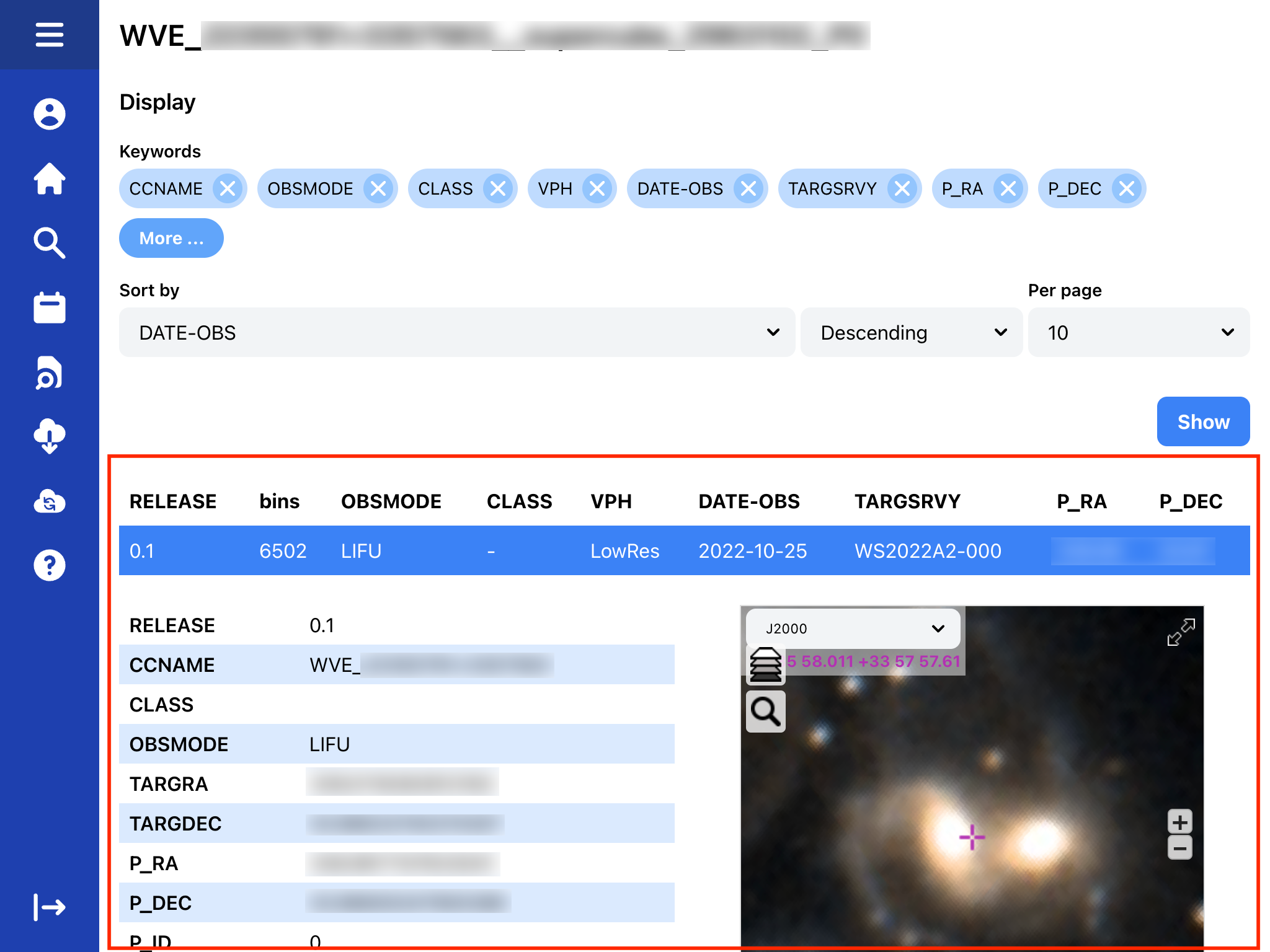 Observation preview
Data cubes (IFU)
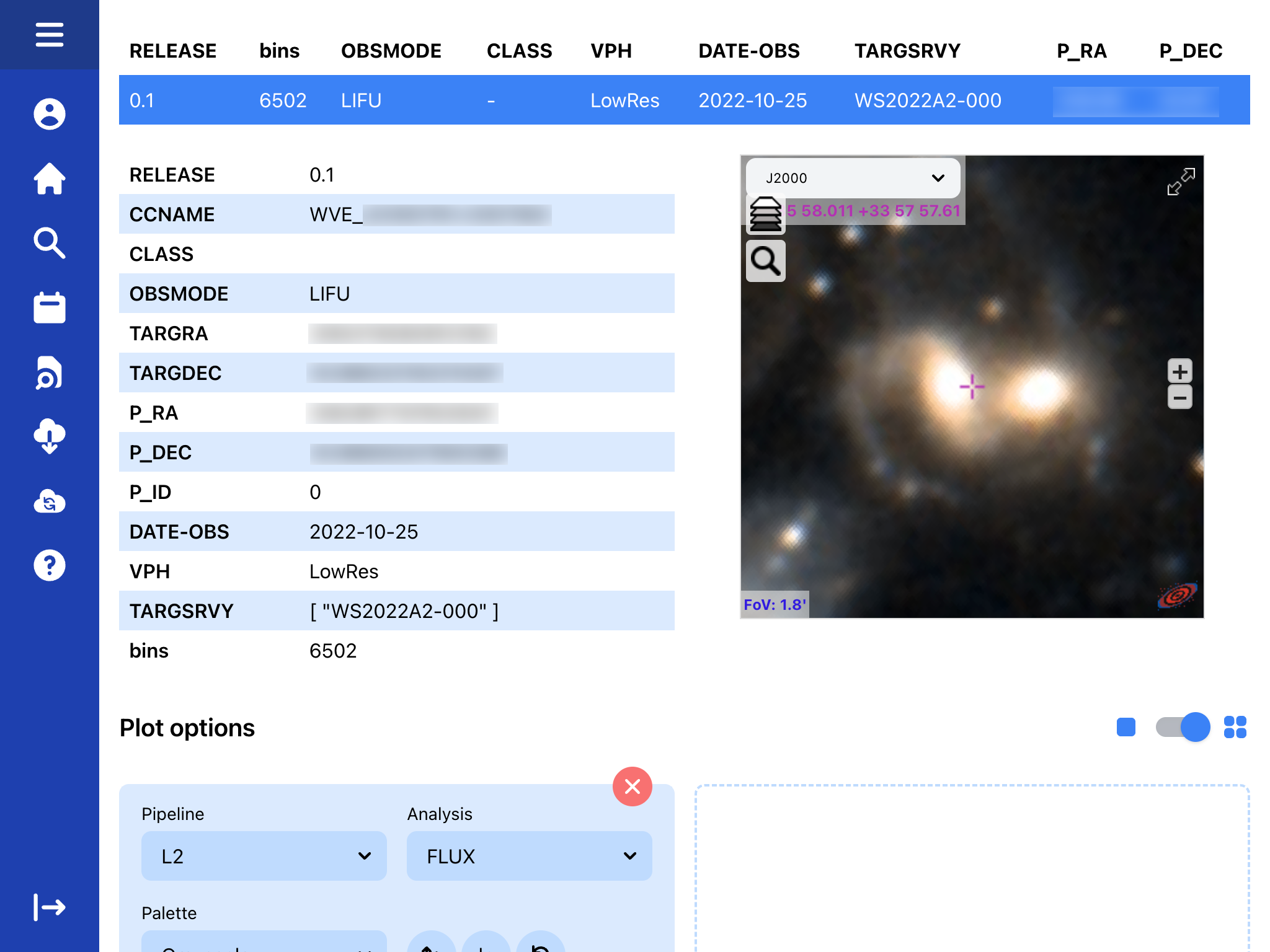 Detailed view from selected target observation
From the plotting options, it is possible to view any product included in the data cube and also to view several at the same time. Among the available options for customisation are the scale, colour palette, etc.
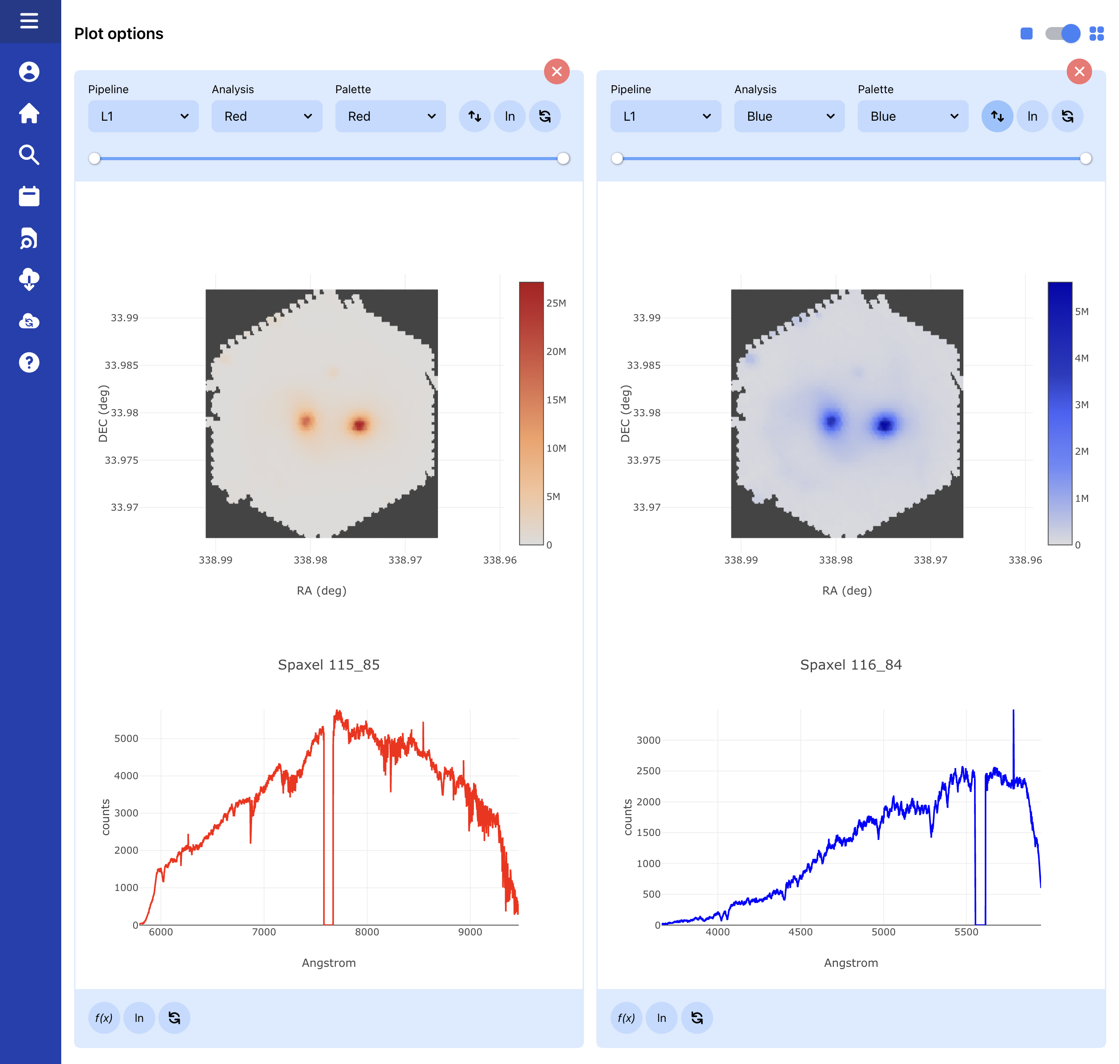 Comparison between L1 Blue and L1 Red products
The exact format of the detailed view may vary depending on the type of product displayed, clicking on any point on the figure allows you to see the spectrum of a given spaxel (L1 product) or the BIN (L2 product).
Single fibres (IFU, MOS)
For single fibres, users will see the spectra of the analysed products for both L1 and L2.
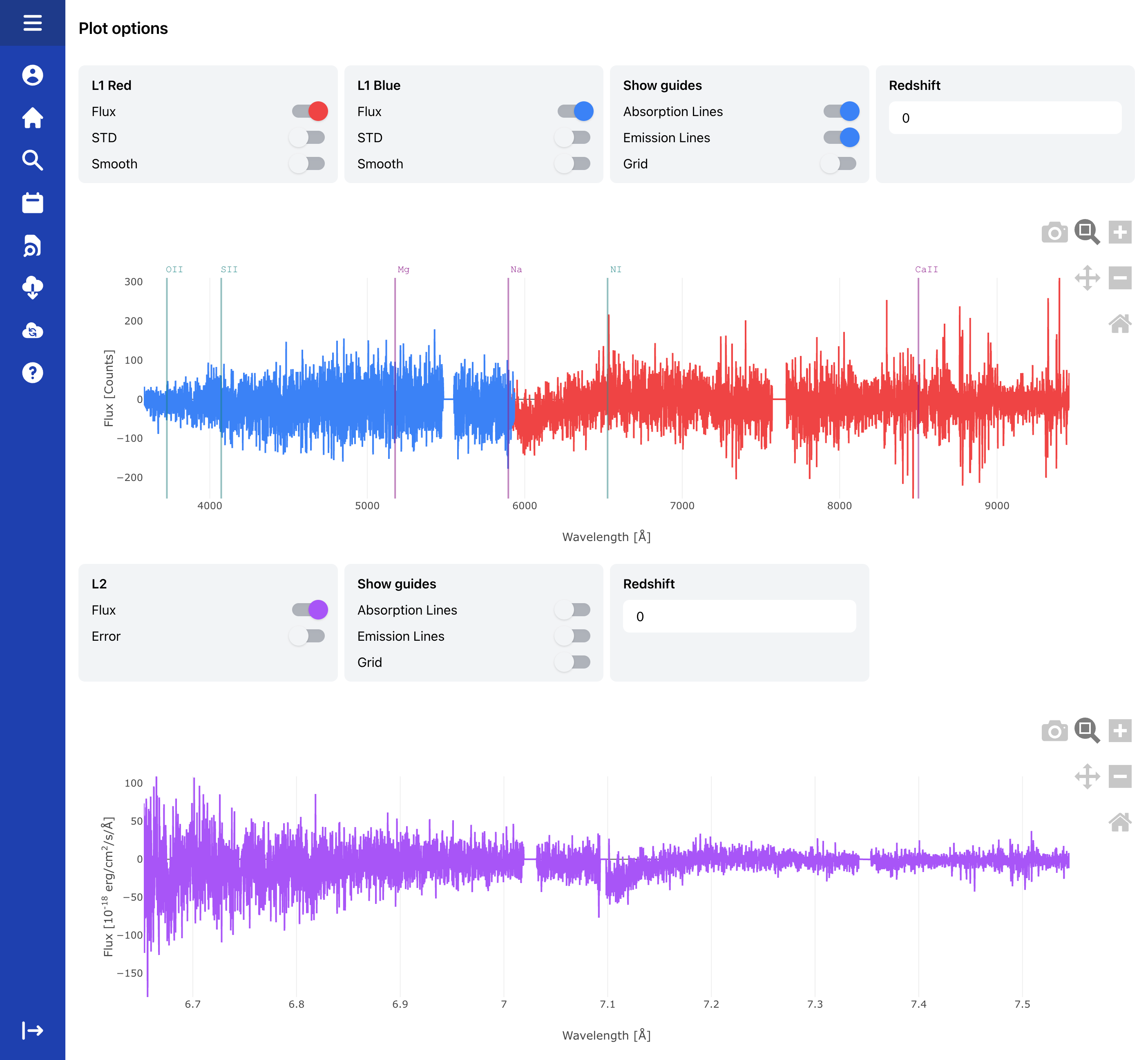 Fibre spectrum visualization of combined L1 data and L2
RAW files (Engineering mode only)
Although the WEAVE Archive System is target-oriented, some users with special permissions will be able to access “engineering results” to directly view the data generated by the WEAVE instrument without having undergone data reduction.
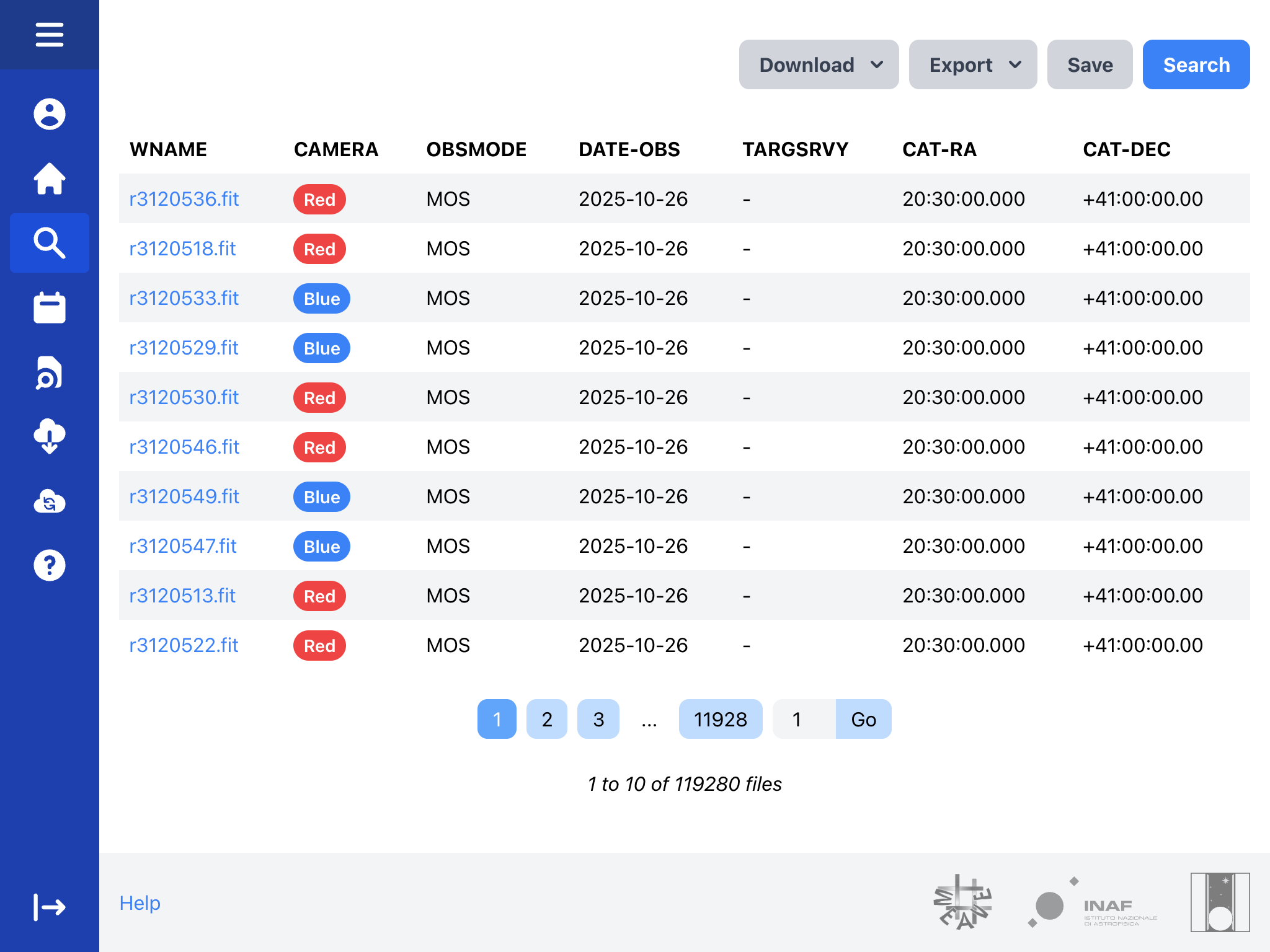 Engineering mode results
In this case, the detailed view will display the FITS headers of these files. The night report generated by the Observatory for a given night can be viewed by clicking on the DATE-OBS information.
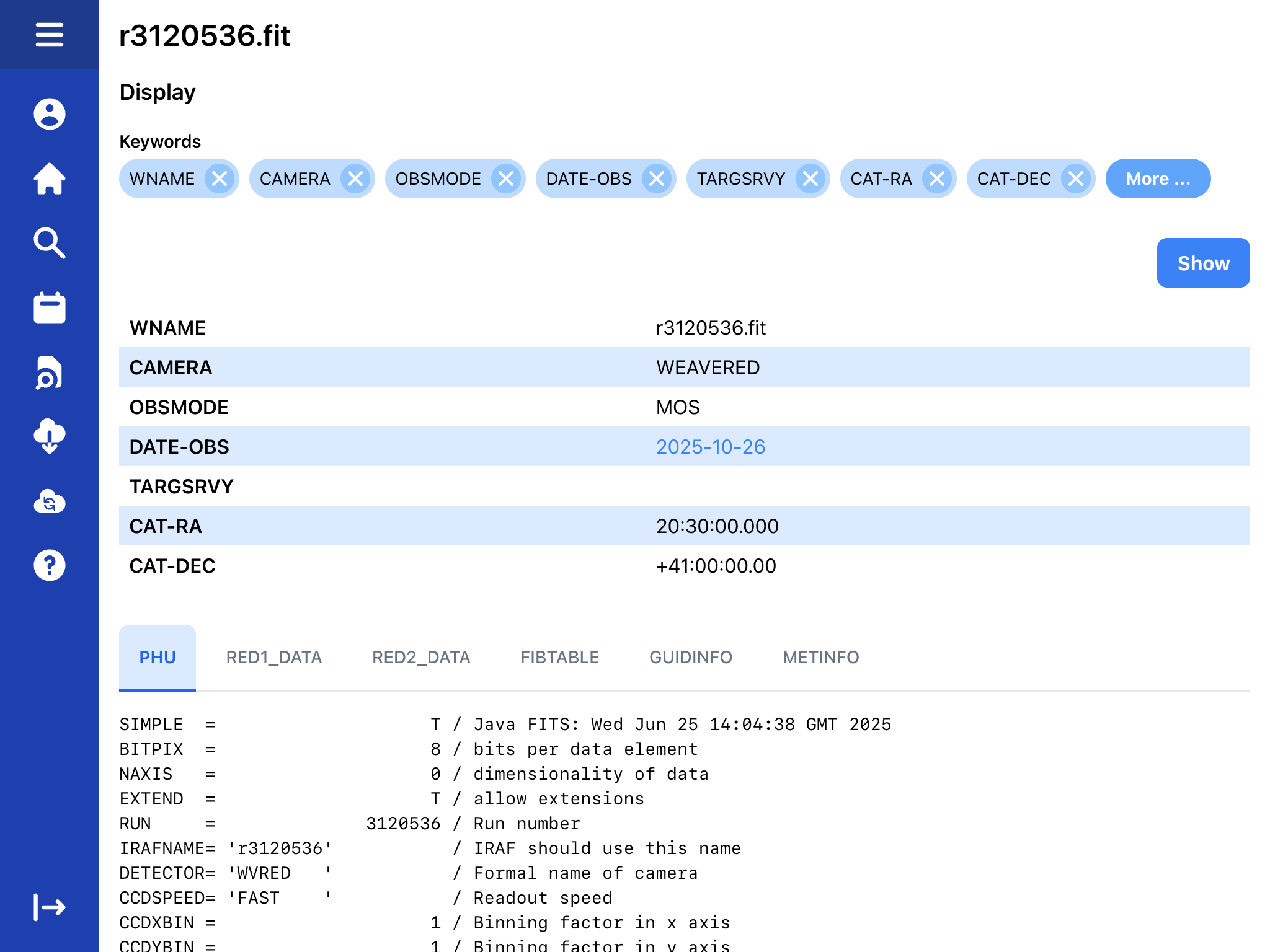 An example of the detailed view, with some FITS headers for RAW data